بالعربية



Managing Multiple Label SKUs: How to Reduce Artwork Errors and Production Delays
When a product range includes multiple sizes, flavors, colors, or packaging variations, each product may require a different label. Managing these label SKUs within one order can become complicated, especially when artwork files, quantities, barcodes, and approval status vary between versions.
Even a small mix-up can result in incorrect labels, production rework, or delivery delays. A clear process for managing artwork and production information helps keep multi-SKU label orders organized.
In this article, we share practical steps for reducing errors when ordering custom labels for multiple products.
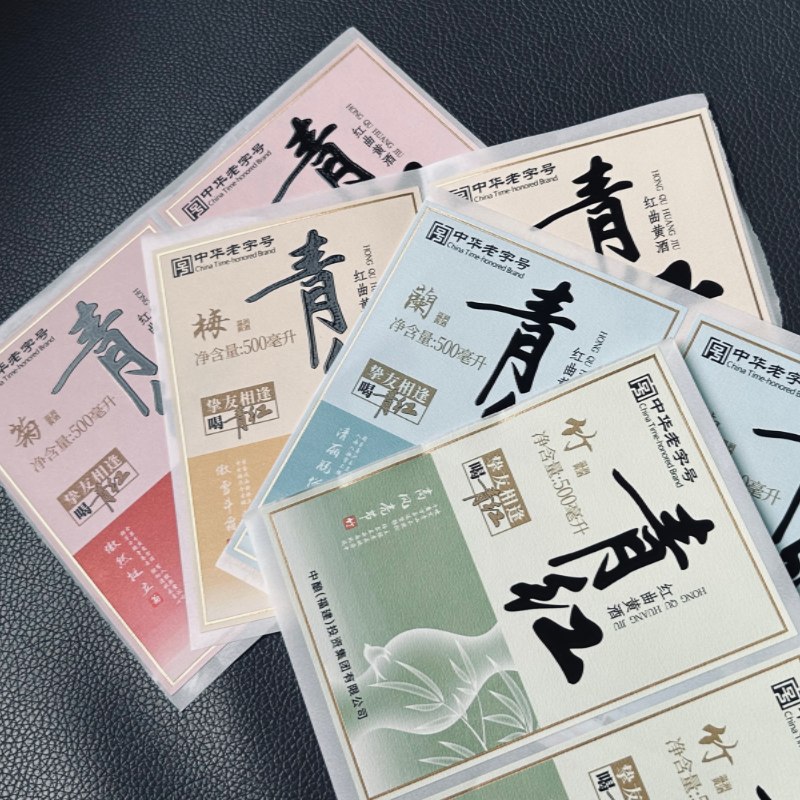
1. Create a Clear SKU and Artwork Naming System
One of the most common challenges in multi-SKU production is identifying the correct artwork for each product.
Files with similar names, such as “Label_Final,” “Label_Final_New,” or “Label_Final_Updated,” can easily cause confusion when several versions are being reviewed at the same time.
A consistent naming system should identify the product, label type, version, and approval status.
For example:
Product_A_Front_Label_V03_Approved
Product_A_Back_Label_V02_Approved
Product_B_Front_Label_V01_Approved
The exact format can vary, but every file should be easy to distinguish and trace back to the corresponding product.
Recommended practices:
This reduces the risk of printing an outdated or incorrect version.
2. Check Quantities and Specifications for Every SKU
Different SKUs may require different quantities, dimensions, materials, or finishes. These details should be confirmed individually rather than assumed to be the same across the entire order.
A product may use a transparent BOPP label, while another requires white synthetic paper. Some versions may need spot UV or foil stamping, while others use standard printing.
Before production, prepare a specification sheet that includes:
Review the specification sheet against the quotation and purchase order. Any differences should be resolved before production begins.
A consolidated specification sheet makes it easier for both the buyer and manufacturer to check that every version has the correct requirements.
3. Verify Colors, Text, and Barcodes Separately
When several labels share a similar design, it is easy to overlook small differences. A flavor name, product size, ingredient statement, or barcode may change even when the overall layout remains almost identical.
These differences should be checked for every SKU.
Color consistency
Confirm the approved color references and any special color requirements. For repeat orders, identify the relevant approved sample or color standard rather than relying only on an on-screen comparison.
Text and product information
Check product names, net contents, ingredient information, language versions, and other required details against the approved artwork.
Barcodes and QR codes
Verify that the correct code belongs to the correct product. Where applicable, test barcode readability and scan QR codes before approving production.
Do not assume that similar-looking artwork means the information is interchangeable. Each version needs its own final check.
4. Establish a Clear Artwork Approval Process
Frequent artwork changes can delay production, particularly when several SKUs are being reviewed by different people.
A structured approval process helps everyone understand which files are ready for production and which still require confirmation.
A practical workflow is:
If changes are made after approval, identify the affected SKU and issue a new version. The revised file should be reviewed and approved before it replaces the previous version.
For orders involving many SKUs, a single approval checklist or consolidated approval document can make the process easier to manage.
5. Plan Production and Delivery Across Multiple SKUs
Even when all labels belong to the same customer, their production requirements may differ.
Different materials, finishes, printing methods, or quantities can affect the production schedule. Some SKUs may require additional preparation, while others may be ready sooner.
To reduce delays:
Grouping SKUs may improve production efficiency, but it should not be assumed that every label can run together. The final arrangement depends on the materials, specifications, equipment, and delivery requirements.
6. Use a Final Pre-Production Checklist
Before mass production, review the order as a complete project rather than checking each label in isolation.
A final checklist can include:
For large orders, the buyer and manufacturer can use the same checklist to reduce misunderstandings and keep the order status visible.
Conclusion
Managing multiple label SKUs requires consistent file naming, accurate specifications, careful artwork approval, and coordinated production planning. By establishing a clear process before manufacturing starts, businesses can reduce artwork errors, avoid unnecessary rework, and keep deliveries on schedule.
At JINKE Label, we support custom label orders across different product types, sizes, materials, and finishes. If you are planning a multi-SKU order, send us your artwork, specifications, and quantities for each SKU. Our team can review the requirements and discuss a suitable production plan.
 +86 15805927008+86 15805928278
 Sales Executivelinda@jinkelabel.comSales Executiverosa@jinkelabel.comGeneral managerzane@jinkelabel.com
 No.99 Tongfu Road, Tongan district, Xiamen, China.

ساعات العمل لدينا
الاثنين إلى السبت: 8:00 صباحًا-8:00 مساءً